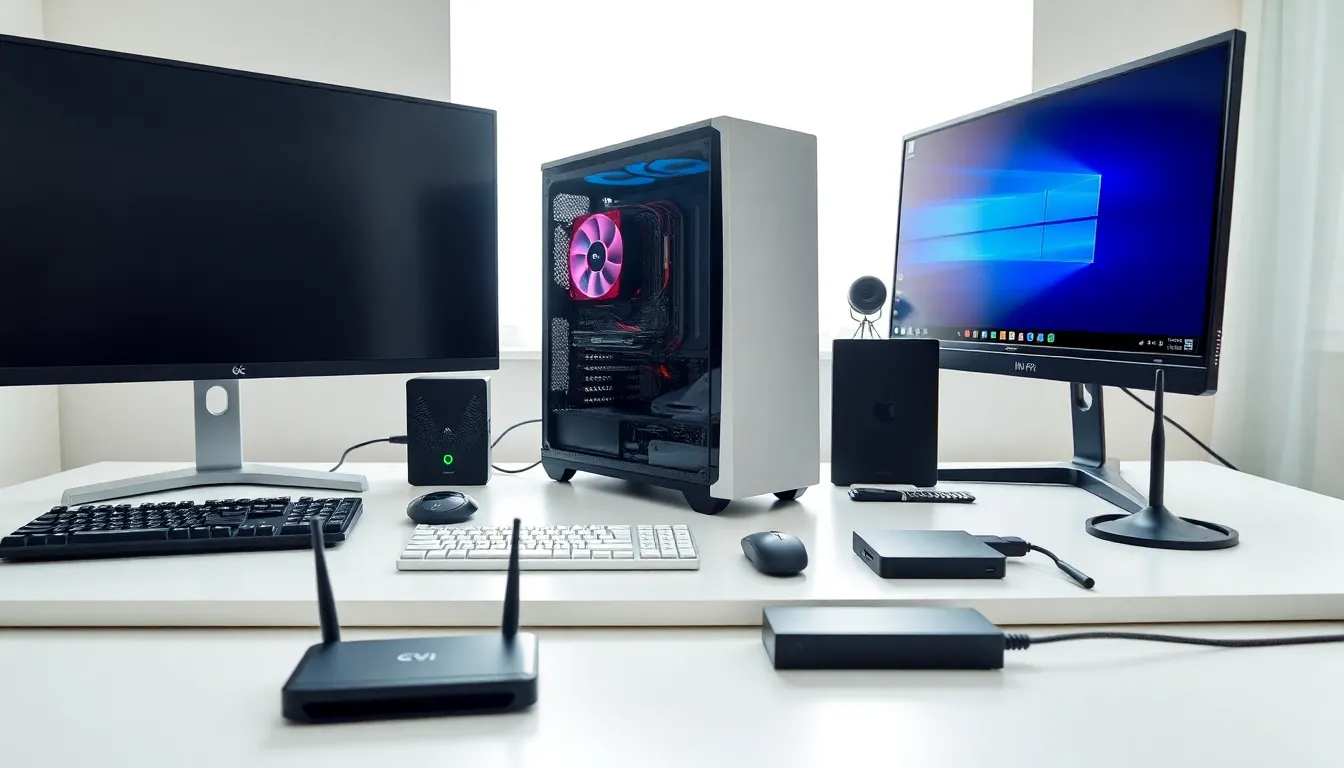
Hardware examples surround us every time we use a computer, tablet, or smartphone. These physical components make digital work possible. Without hardware, software has nothing to run on, it’s that simple.
This guide breaks down the essential computer components people encounter daily. From the processor inside a laptop to the keyboard under their fingertips, each piece plays a specific role. Understanding hardware examples helps users make smarter buying decisions, troubleshoot problems, and appreciate how modern technology actually works.
Whether someone is building their first PC or just curious about what’s inside that black box on their desk, this article covers the key hardware categories and components worth knowing.
Table of Contents
ToggleKey Takeaways
- Hardware examples include internal components like CPUs and RAM, external devices like keyboards and monitors, and network equipment like routers and switches.
- The CPU serves as the computer’s brain, with more cores and higher clock speeds delivering better multitasking and processing performance.
- SSDs and NVMe drives offer significantly faster performance than traditional hard disk drives, improving overall system responsiveness.
- External hardware examples such as input devices (keyboards, mice, webcams) and output devices (monitors, printers, speakers) enable user interaction with computers.
- Network hardware like routers, modems, and Wi-Fi adapters forms the backbone of internet connectivity and device communication.
- Understanding different hardware categories helps users make smarter purchasing decisions and troubleshoot technical issues more effectively.
What Is Computer Hardware?
Computer hardware refers to the physical parts of a computing system. Users can touch, hold, and see these components. Hardware stands in contrast to software, which consists of programs and operating systems that run on physical devices.
Hardware examples fall into several categories. Internal hardware sits inside the computer case. External hardware connects from outside. Network hardware enables communication between devices. Each category serves distinct functions that together create a working system.
The relationship between hardware and software matters. A powerful processor means nothing without an operating system to direct it. Similarly, the best software can’t overcome slow or outdated hardware. Balance between these elements determines overall performance.
Hardware has evolved dramatically over decades. Early computers filled entire rooms. Today’s smartphones pack more processing power than those massive machines. This evolution continues as manufacturers develop faster, smaller, and more efficient hardware examples for every use case.
Internal Hardware Components
Internal hardware components form the core of any computer system. These parts work together inside the case to process data, store information, and execute commands.
Central Processing Unit (CPU)
The CPU acts as the brain of any computer. It executes instructions from programs and coordinates activities across all other hardware components. Every click, calculation, and command passes through this chip.
Modern CPUs contain multiple cores. A quad-core processor handles four tasks simultaneously. An eight-core chip manages eight. More cores generally mean better multitasking performance. Clock speed, measured in gigahertz (GHz), indicates how fast each core processes instructions.
Intel and AMD dominate the consumer CPU market. Intel’s Core series and AMD’s Ryzen lineup represent popular hardware examples for desktop and laptop computers. Server environments often use specialized processors designed for continuous operation and heavy workloads.
The CPU generates significant heat during operation. Cooling solutions, fans, heat sinks, or liquid cooling systems, prevent overheating and maintain stable performance.
Memory and Storage Devices
RAM (Random Access Memory) provides temporary workspace for active programs. When someone opens an application, it loads into RAM for quick access. More RAM allows more programs to run smoothly at once. Most modern computers ship with 8GB to 32GB of RAM.
Storage devices hold data permanently. Hard disk drives (HDDs) use spinning magnetic platters. They offer large capacities at lower prices but operate slower than alternatives. Solid-state drives (SSDs) use flash memory with no moving parts. SSDs load programs faster and improve overall system responsiveness.
NVMe drives represent the fastest consumer storage hardware examples available. These connect directly to the motherboard and deliver read/write speeds several times faster than traditional SSDs.
The motherboard connects all internal hardware components. It provides pathways for data transfer and houses slots for RAM, storage, and expansion cards. Graphics cards (GPUs) handle visual processing and plug into the motherboard’s PCIe slots.
External Hardware Devices
External hardware connects to computers from outside the case. These devices handle input, output, and expanded functionality.
Input devices send information to the computer. Keyboards and mice remain the most common hardware examples in this category. Keyboards translate keystrokes into text and commands. Mice track movement and clicks for cursor control. Trackpads on laptops serve the same purpose.
Other input hardware examples include scanners, microphones, and webcams. Scanners digitize physical documents. Microphones capture audio for calls, recordings, or voice commands. Webcams enable video communication and content creation.
Output devices present information to users. Monitors display visual content. Screen sizes range from compact 13-inch laptop displays to massive 49-inch ultrawide monitors. Resolution determines image clarity, 1080p, 1440p, and 4K represent common standards.
Printers produce physical copies of digital documents. Inkjet printers work well for photos and color documents. Laser printers excel at high-volume text printing. Speakers and headphones output audio.
External storage provides portable backup and file transfer options. USB flash drives offer convenient small-scale storage. External hard drives and SSDs handle larger backup needs. These hardware examples prove essential for data protection and mobility.
Peripherals like drawing tablets, game controllers, and external sound cards expand computer capabilities for specific tasks. USB hubs add extra ports when built-in connections run short.
Network and Connectivity Hardware
Network hardware enables computers to communicate with each other and access the internet. These components form the backbone of modern connectivity.
Routers direct traffic between networks. Home routers connect local devices to internet service providers. They assign IP addresses and manage data flow for multiple users simultaneously. Many routers include built-in Wi-Fi capabilities.
Modems translate signals between different network types. Cable modems convert coaxial cable signals into data computers understand. DSL modems do the same for telephone line connections. Fiber optic networks use optical network terminals (ONTs) instead.
Network interface cards (NICs) let computers connect to networks. Most modern motherboards include built-in Ethernet ports. Wi-Fi adapters, internal cards or USB dongles, provide wireless connectivity. These hardware examples prove essential for laptops and desktops alike.
Switches expand network capacity by connecting multiple devices through Ethernet cables. Small offices often use 8-port or 16-port switches. Larger organizations deploy managed switches with advanced traffic control features.
Access points extend Wi-Fi coverage. They connect to routers via Ethernet and broadcast wireless signals to areas the main router can’t reach effectively. Mesh Wi-Fi systems use multiple access points that work together seamlessly.
Ethernet cables physically connect devices to networks. Cat5e cables support speeds up to 1 Gbps. Cat6 and Cat6a cables handle faster connections for demanding applications. Cable quality affects network performance significantly.