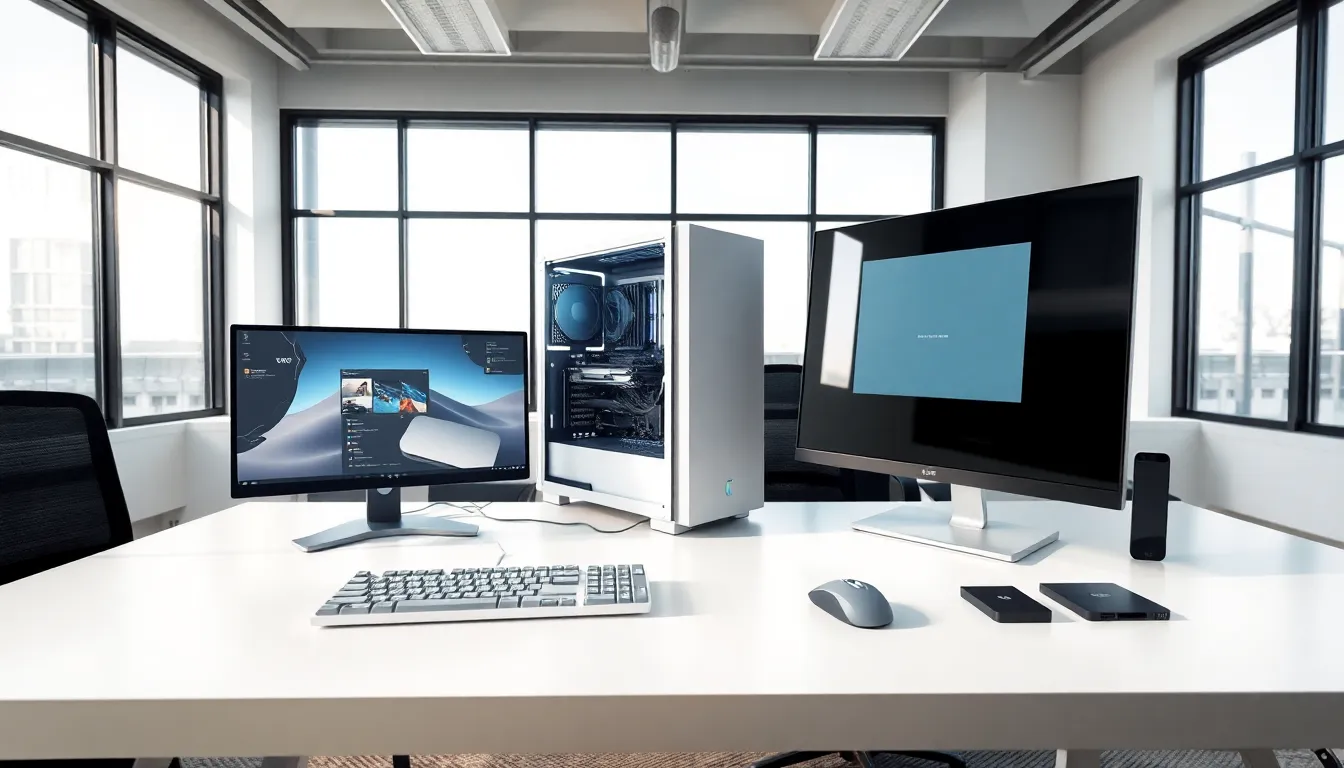
What is hardware? In simple terms, hardware refers to the physical components that make up a computer system. These are the parts you can touch, the keyboard, the monitor, the processor inside the case. Without hardware, software would have nothing to run on. It’s the foundation of every computing device, from smartphones to supercomputers.
This guide breaks down everything you need to know about computer hardware. You’ll learn what hardware actually is, explore the different types, understand how it differs from software, and discover why it matters for everyday users and tech professionals alike.
Table of Contents
ToggleKey Takeaways
- Hardware refers to the physical components of a computer system—parts you can touch, like the CPU, RAM, and motherboard.
- Internal hardware (CPU, RAM, storage drives, GPU) handles processing and storage, while external hardware (keyboards, monitors, printers) enables user interaction.
- Hardware provides the capability to perform tasks, while software provides the instructions—both depend on each other to function.
- Upgrading hardware like RAM or switching to an SSD can dramatically improve computer performance when software solutions aren’t enough.
- Understanding what hardware is helps you make smarter purchasing decisions, troubleshoot problems faster, and ensure compatibility with modern software.
Understanding Computer Hardware
Computer hardware includes all the physical parts of a computing device. This covers everything from the central processing unit (CPU) to the mouse sitting on your desk. If you can physically hold it, it’s hardware.
The term “hardware” originated in the early days of computing. Engineers needed a way to distinguish physical equipment from the programs that ran on it. The physical stuff became “hardware,” while the instructions and programs became “software.”
Hardware serves one primary purpose: it executes tasks. The CPU processes calculations. The hard drive stores files. The graphics card renders images. Each piece of hardware has a specific job, and together they create a functioning computer system.
Modern hardware has evolved dramatically since the first computers filled entire rooms. Today’s processors contain billions of transistors packed into chips smaller than a fingernail. Storage devices hold terabytes of data. Yet the basic concept remains unchanged, hardware provides the physical infrastructure that makes computing possible.
Understanding hardware helps users make better purchasing decisions. It also aids in troubleshooting problems. When a computer runs slowly, the issue often traces back to a hardware limitation. Knowing your components means knowing where to look when things go wrong.
Types of Computer Hardware
Computer hardware falls into two main categories: internal components and external devices. Both play essential roles in how a computer operates.
Internal Hardware Components
Internal hardware sits inside the computer case. These components handle the core functions of processing, storage, and system management.
Central Processing Unit (CPU): The CPU acts as the brain of the computer. It executes instructions from software programs and performs calculations. Popular CPU manufacturers include Intel and AMD. Faster CPUs mean quicker program execution.
Random Access Memory (RAM): RAM provides temporary storage for data the CPU needs quickly. More RAM allows computers to run multiple programs simultaneously without slowing down. Most modern computers use between 8GB and 32GB of RAM.
Motherboard: The motherboard connects all hardware components. It contains slots for the CPU, RAM, and expansion cards. Every piece of internal hardware communicates through the motherboard.
Storage Drives: Hard disk drives (HDDs) and solid-state drives (SSDs) store data permanently. SSDs offer faster read and write speeds than traditional HDDs. Many users now prefer SSDs for their operating systems and frequently used programs.
Graphics Processing Unit (GPU): The GPU handles visual output. It renders images, videos, and animations. Gamers and video editors typically need powerful GPUs for smooth performance.
Power Supply Unit (PSU): The PSU converts electricity from the wall outlet into power the computer can use. It distributes power to all internal components.
External Hardware Devices
External hardware connects to the computer from outside the case. These devices allow users to interact with the system and expand its capabilities.
Input Devices: Keyboards and mice let users send commands to the computer. Scanners, microphones, and webcams also qualify as input hardware. They convert physical actions or real-world data into digital signals.
Output Devices: Monitors display visual information. Speakers and headphones produce audio. Printers create physical copies of digital documents. These devices translate digital data into forms humans can perceive.
Peripheral Devices: External hard drives, USB flash drives, and docking stations extend the computer’s functionality. They connect via USB, Thunderbolt, or other ports.
Hardware vs. Software: Key Differences
Hardware and software depend on each other, but they differ in fundamental ways.
Hardware is physical. You can see it, touch it, and replace it when it breaks. Software is digital. It consists of code and instructions stored on hardware devices.
Hardware wears out over time. Components degrade, fans collect dust, and connections loosen. Software doesn’t degrade physically, though it can become outdated or corrupted.
Replacing hardware typically requires purchasing new components. Software updates often come free or at lower cost. But, hardware upgrades can dramatically improve performance in ways software alone cannot achieve.
Consider this example: a slow computer might benefit from more RAM (hardware upgrade) or from removing unnecessary programs (software solution). Both approaches address the same problem through different means.
Hardware provides capability. Software provides instructions. A powerful GPU gives a computer the ability to render complex graphics. But without graphics software, that capability sits unused. The relationship works both ways, advanced software needs adequate hardware to run properly.
Understanding this distinction helps users diagnose issues correctly. Some problems require hardware fixes. Others need software solutions. Knowing which is which saves time and money.
Why Hardware Matters
Hardware directly affects computer performance. Faster processors complete tasks more quickly. More RAM handles larger workloads. Better graphics cards produce smoother visuals. The hardware inside a computer sets the ceiling for what that computer can accomplish.
For everyday users, hardware choices determine their experience. A computer with outdated hardware struggles with modern applications. It freezes during video calls, takes minutes to open programs, and crashes under heavy use. Adequate hardware eliminates these frustrations.
For professionals, hardware can make or break productivity. Video editors need fast storage and powerful GPUs. Programmers benefit from multi-core processors. Data analysts require ample RAM for large datasets. Choosing the right hardware for specific tasks improves efficiency and output quality.
Hardware also impacts longevity. Quality components last longer and maintain performance over time. Investing in good hardware upfront often costs less than frequent replacements.
Security considerations matter too. Older hardware may lack features that protect against modern threats. Newer processors include hardware-level security measures that software alone cannot replicate.
Finally, hardware affects compatibility. New software often requires minimum hardware specifications. Keeping hardware reasonably current ensures access to the latest programs and features.